










Built for furniture sales | Automated follow-up by lead type | Visibility for managers
Pipelines And Opportunity Tracking
See every deal, owner, and next action at a glance.
Keep your entire furniture sales pipeline visible so reps follow up faster and managers coach with real data.
What this gives your team
For Sales Reps
Create an opportunity in minutes and track it from first contact to close
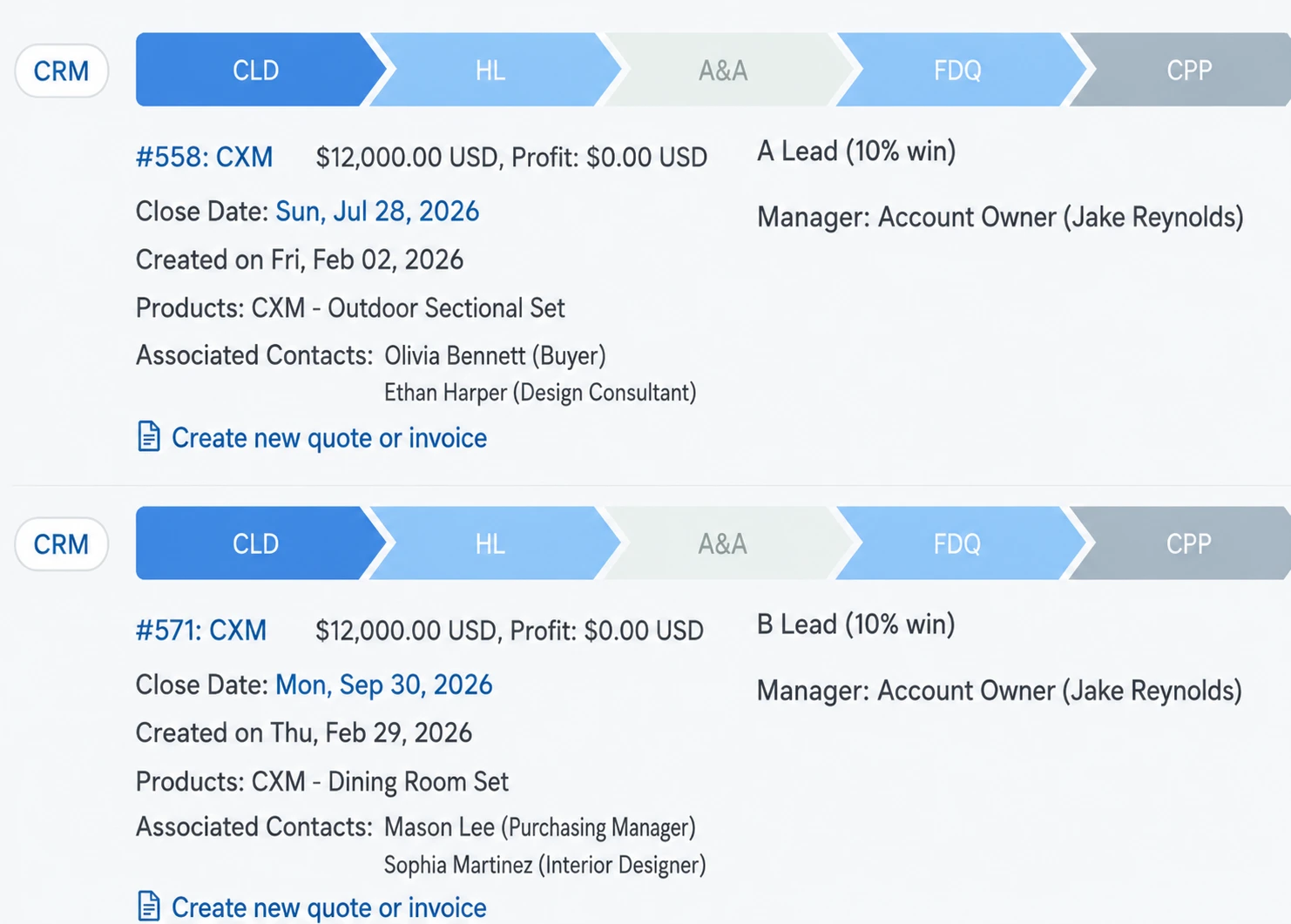
Set custom phases that match your store’s selling process
Attach products / line items so the opportunity reflects the real deal
For Managers
See what’s moving, what’s stuck, and what needs attention today
Spot patterns behind losses (qualification, timing, follow-up)
Forecast more accurately based on pipeline health, not gut feeling
What you can track
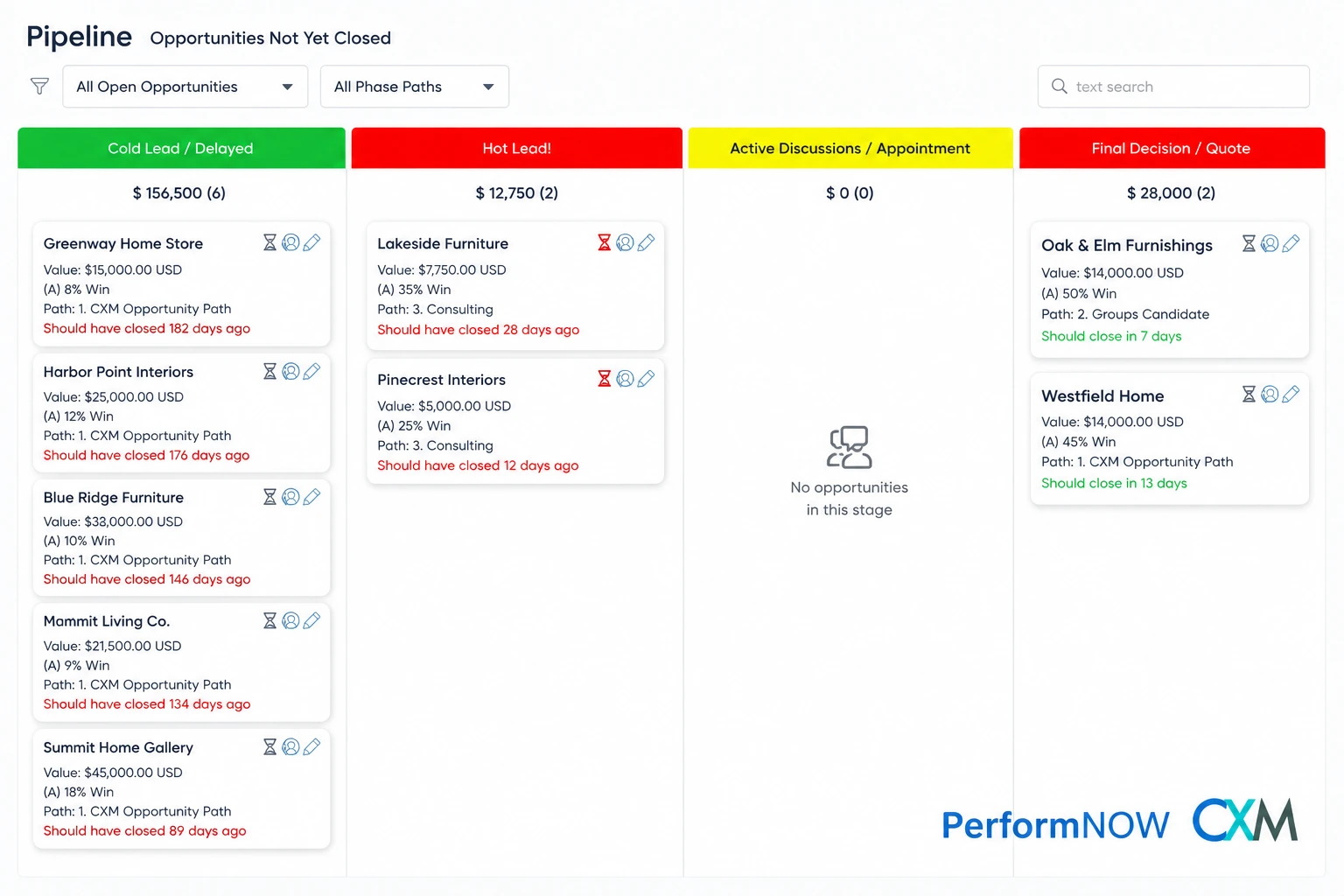
Opportunity status by stage (what’s in each phase right now)
Win rate vs. loss rate (where deals drop off)
Conversion between stages (Lead → Appointment → Sale style view)
Pipeline aging (how long deals sit in each stage)
Rep activity / ownership coverage (who is responsible for what)
Automations
Automated Follow-Up for Every Lead Type
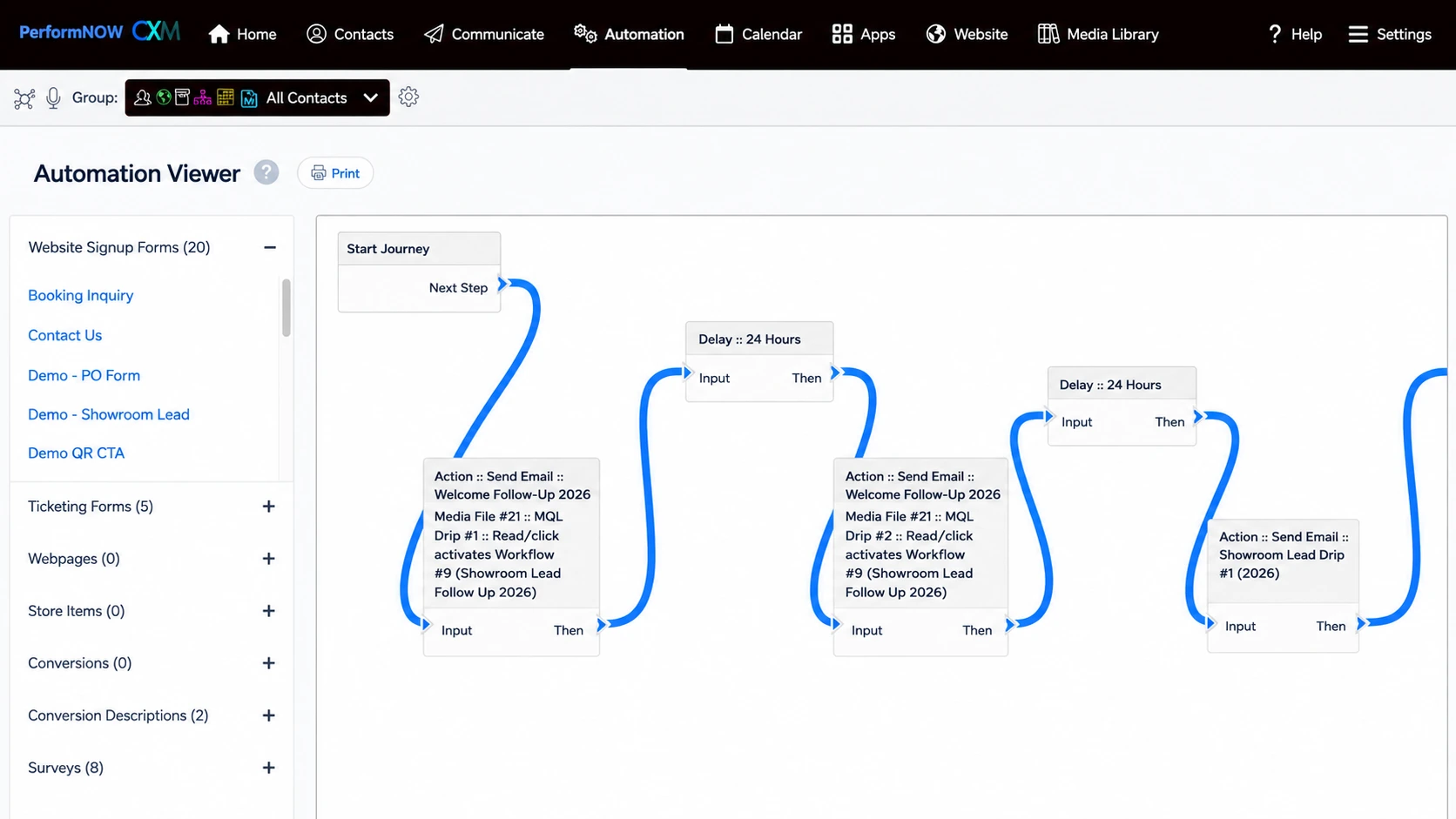
Trigger emails, texts, and rep tasks based on lead type and pipeline stage. Every touchpoint is logged in one place.
Lead-type workflows (phone, web, chat, social, walk-in, appointment)
Set different follow-up paths based on how the lead arrives, so the next step matches the situation. Whether someone calls, chats, fills a web form, messages on social, walks in, or books an appointment, the lead enters the right workflow automatically—no manual sorting, no missed handoffs.
Automatic messages + tasks when key moments happen
When something important happens in the sales process, the system responds for you. It can send the right email/text to the customer and create the next task for the salesperson—so follow-up stays consistent after lead creation, stage changes, inactivity, appointments, purchases, and delivery milestones.
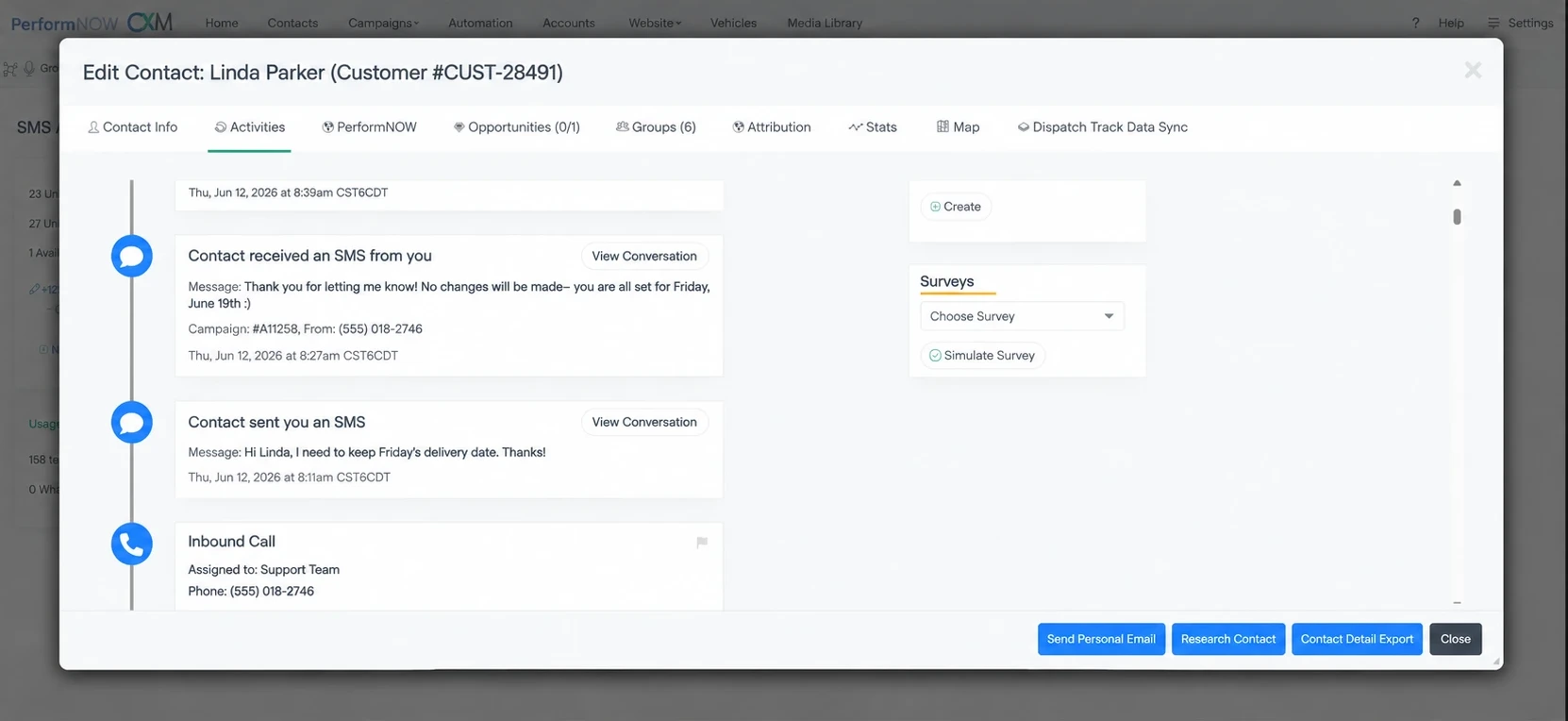
Clear ownership and complete communication history
Every lead is assigned to a responsible rep, and every touchpoint is recorded in one place. Calls, texts, emails, notes, and follow-up tasks stay attached to the opportunity, making it easy to pick up where things left off, hand off cleanly, and manage accountability without chasing updates.
Reporting
This is how managers stop guessing.
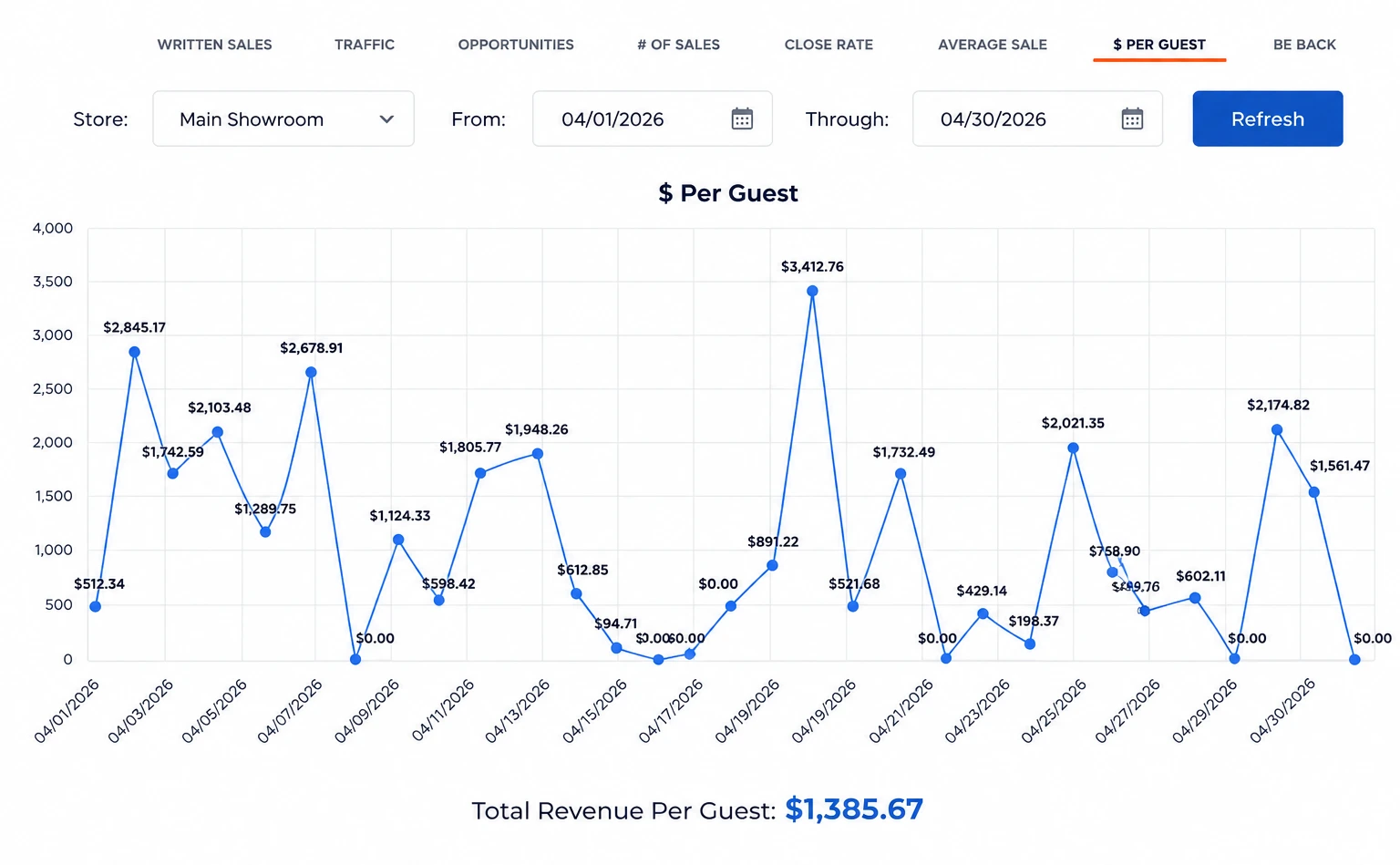
Monitor traffic, opportunities, close rate, and sales outcomes over time—so performance is visible and improvable.


Response time and follow-up completion
This is supported by the “Manage their follow-up better” section: the page explains that you can associate leads with CRM activities, use milestones and task lists, and see leads represented across phases “from lead to reactivation” so you can find out if lead follow-up is completed. In short: it’s about making sure follow-up happens and doesn’t get missed.
Conversion between stages (Lead → Appt → Sale)
This is supported by the page’s emphasis on pipeline performance and outcomes, especially “Track success and failure of pipeline follow-up” and the Store Traffic Tracker tabs like Close Rate, # of Sales, Opportunities, Average Sale, $ Per Guest. The message is that the pipeline reveals where opportunities succeed or fail—and tracking those results helps teams improve how the pipeline is working.
Rep activity and pipeline health
This is supported by the Opportunities and pipeline descriptions on the page: Opportunities “empowers salespeople to forecast deals, set custom phases, and track with…graphs and charts,” while the pipeline “tells a story” about how well the process is working. Practically, this means managers can look at activity and results inside the pipeline/opportunities view to understand whether the pipeline is healthy (moving) or unhealthy (stalling/failing).
Tools that Help You Close
Everything your team needs to move a deal forward—appointments, signatures, mobile follow-up, and call notes in one place.
Integrated Calendar
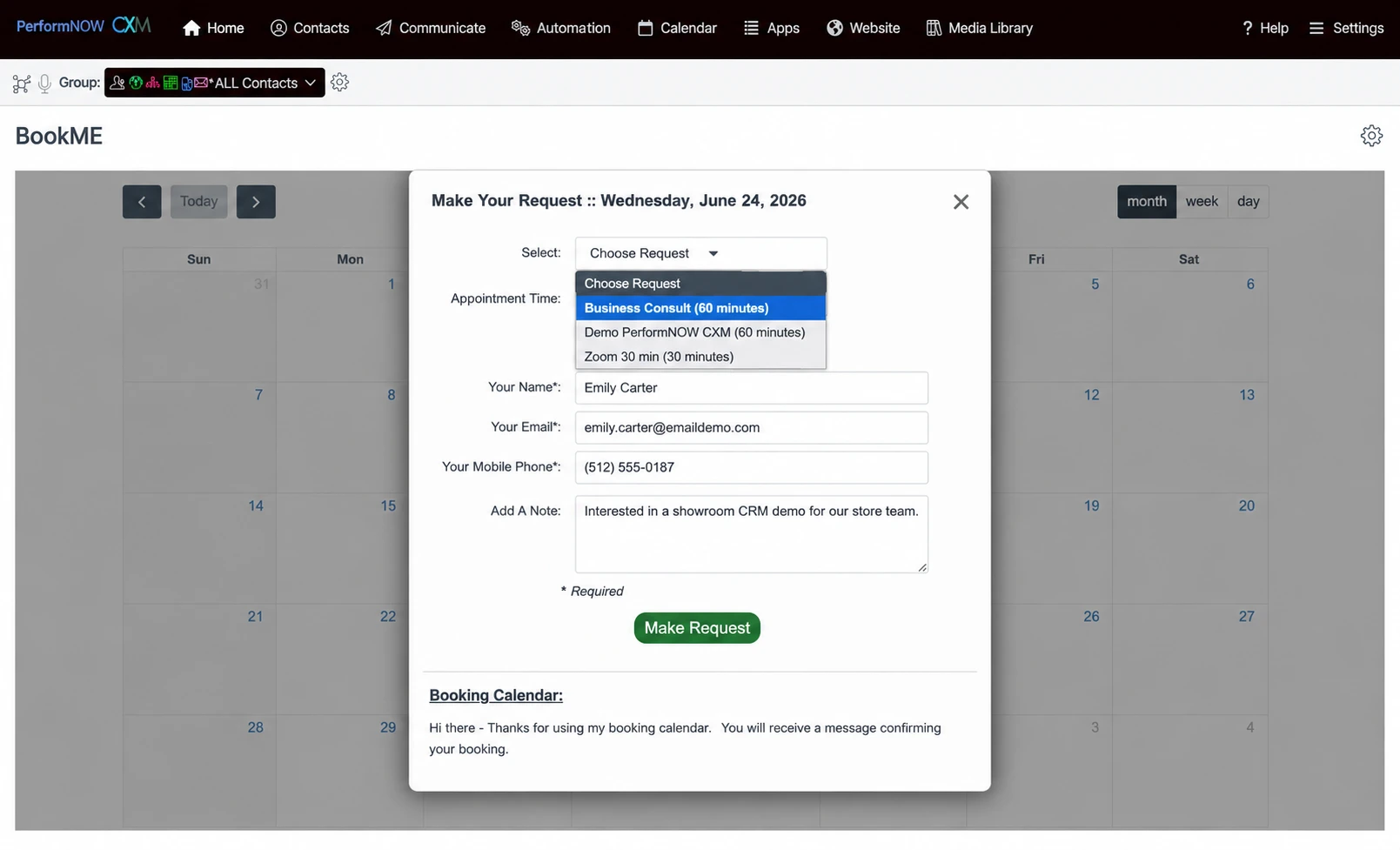
PerformNOW’s booking calendar lets clients schedule demos instantly, saving you admin time with custom event types. It’s the fastest way to turn leads into discovery calls.
Document Signing
Create personalized proposals instantly with smart templates and merge fields. Close deals faster using PerformNOW’s built-in collaboration tools and seamless custom workflows.
Automatic Call Transcription
Improve caller experience with PerformNOW’s inbound call management. Effortlessly manage phone trees and forwarding with transcription to capture every customer interaction.
Mobile App (iOS/Android)
Stay productive anywhere with the PerformNOW mobile app. Manage contacts, tasks, and newsletters while syncing data instantly. It is free for every user at your fingertips!.Want Examples of How Top Stores Manage Follow-up?
eXperience Management - Critelli Furniture
Critelli Furniture modernized its 110-year-old, custom-focused business by adopting CXM to streamline lead management, boost appointment close rates, and strengthen customer follow-up.
Watch video →eXperience Management - Weaver's Furniture
Hear how Weaver Furniture uses PerformNOW CXM to unify POS data, automate follow-ups, centralize email/text/chat, and improve customer experience for custom furniture sales.
Watch video →eXperience Management - Maloufs
A candid discussion with Malouf Furniture on how a relationship-driven retailer improved customer experience, follow-up, and visibility using CXM—without losing the human touch.
Watch video →IdeaCast: Sell More by Using Technology
Use the CRM daily: keep a to-do list, move hot leads through the pipeline with follow-up templates, track results with incentives, and add automations.
Watch video →IdeaCast: Sales Productivity
CRM activity tips: set email reminders for important follow-ups, assign follow-ups to other team members if needed, and quickly find customers via the dashboard search.
Watch video →
Complete Furniture CRM
PerformNOW contains numerous innovative features that are customized for the furniture industry. These include communication groups for lead management, open sales follow-up, and past purchase marketing. Tools such as calendar scheduling, email and text integration, automated workflows and management dashboards allow for improved employee productivity, additional in-store traffic, higher close rates, higher average sales and better revenue per guest.

Manage their follow-up better
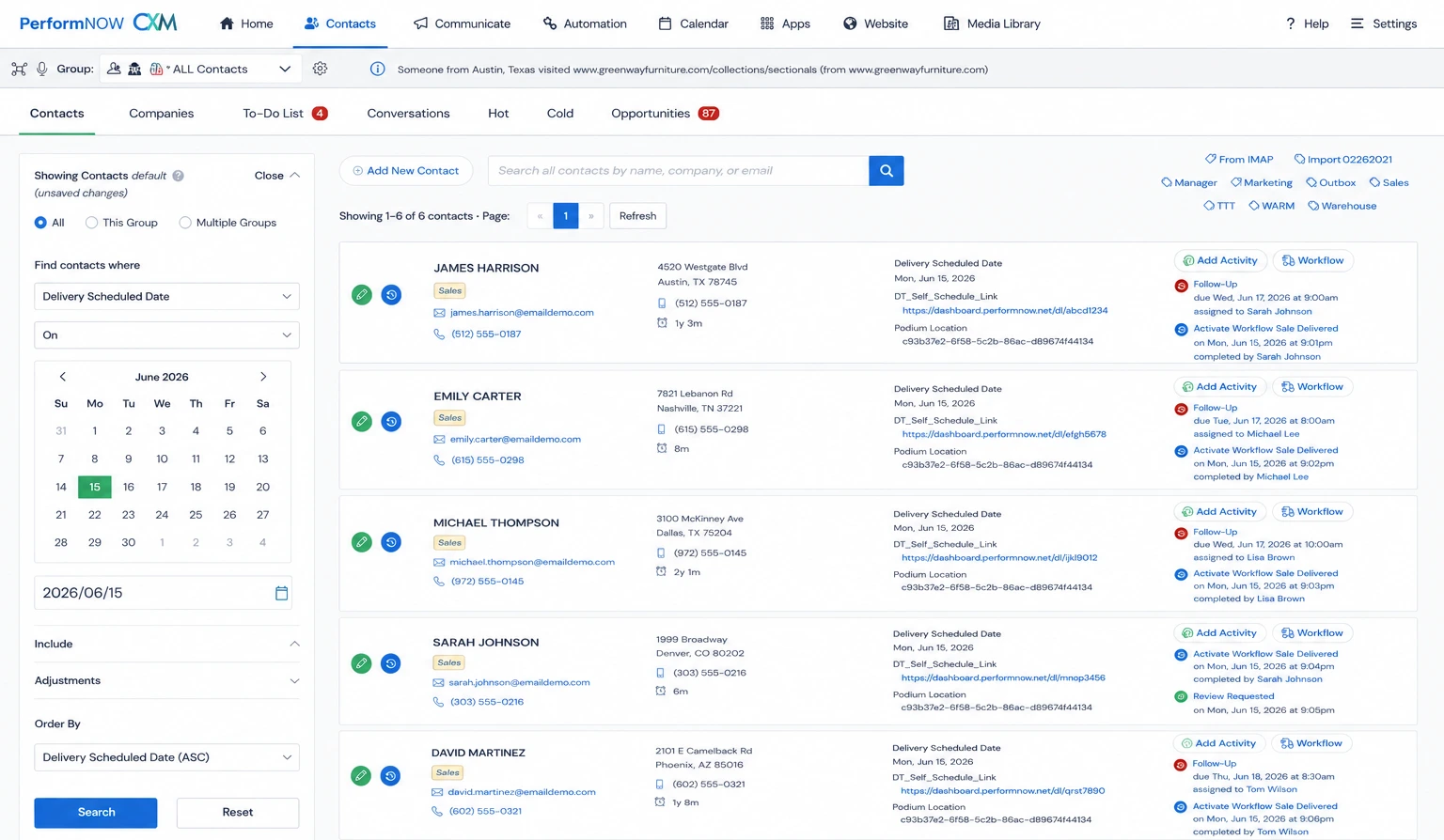
See your important tasks with our CRM Activities To Do dashboard. Just click on the bar and you will see the list of customers and tasks to be completed. You will also instantly have access to all prior communications with the contact. Don’t let anyone fall through the cracks!

Use selling pipelines to grow future business
A strong selling pipeline is the backbone of consistent revenue growth. It organizes leads, tracks progress, and helps teams prioritize high-potential opportunities. By clearly visualizing each stage—from initial contact to closing—sales teams can stay focused, reduce drop-offs, and accelerate conversions. A well-managed pipeline means fewer surprises, better forecasting, and more deals won. Want predictable sales? Start with a powerful pipeline.

Track success and failure of pipeline follow-up
Your sales pipeline tells a story—and the success or failure rate of opportunities reveals how well it’s working. High failure rates often point to weak lead qualification or poor follow-up, while strong win rates signal a healthy, focused process. Tracking this metric helps teams refine their approach, prioritize better, and close more deals with less effort. It’s not just a number—it’s your growth indicator.

Automatically, trigger follow-up messages
Through workflow automation, you can trigger emails and text messages to remind salespeople to follow-up and to keep in touch with customers. Use this for communications such as: product add-ons, protection reminders, loyalty clubs, after sale thank you, after delivery pictures, past purchase touch-base and next purchase ideas.

Selling workflows by lead type
Telephone, chat, web inquiry, social media, in store, appointment
When a non-physical lead reaches out to you, that can be put into your sales funnel so you can be more productive and get better results. However, the lead come is, they are tracked. All communications with the lead are automatically recorded. Once an action is determined, either an appointment with a salesperson, a sale or some additional follow-up, communications and notifications are automatically triggered. It is proven that handling non-physical leads better creates much higher close rates, greater average sales, and incremental sales volume.You save time and get more done when you implement professional workflows into your sales and marketing strategies.

Automated email and text follow-up
Your customers communicate in a variety of ways. Through pre-created email or text messages you can trigger professional communications. This can be used for past purchase follow-up, next purchase ideas, related purchases, private sale invites, or anything that you can imagine. This saves your people time and puts more customers back into your sales funnel.

Mobile App (iOS/Android)
The PerformNOW mobile app empowers you to be anywhere and still access your data. No need to be tied to your desk! Manage your contacts, CRM activities, events and track email newsletter broadcasts all from the palm of your hand. The PerformNOW CRM app will automatically synchronize your data with the web-based client, and it's free with all PerformNOW accounts.

Document signing
Create customized proposals, contracts, and other documents directly within PerformNOW. PerformNOW's document creator empowers you to use standard editing tools, along with special merge functions that automatically personalize information based on your contacts’ data. Create unlimited and unique templates, then save them for future editing and reuse. Our built-in documentation tools make it quick to close deals and easy to collaborate.

Integrated Calendar
Let your meetings come to you. PerformNOW is all about saving you time, and the booking calendar is here to free up your time further. The booking calendar is a convenient feature for those prospective clients who need a specific date and time to meet with you and get the ball rolling on a demo or discovery call. It starts with setting up your event types, which as a sales professional will probably include demos, discovery calls, and the like to make sure that your leads know exactly what the meeting will entail.

Automatic call transcription
The conversations you have with your customers are important, as is the experience they get when calling your company. With inbound call management, you can easily setup phone trees, forward calls to the appropriate department, transcribe and record calls so that you have every detail about the conversations you have.

Opportunity Tracking
Stay on top of your leads and give yourself the best chance of winning deals with Opportunities. PerformNOW wants your team to be prepared for every lead that progresses through your funnel, until they are eventually a long-lasting client. The Opportunities portion of the CRM empowers salespeople to forecast deals, set custom phases, and track with a multitude of detailed graphs and charts. Setting up an opportunity is a simple process, but also allows the salesperson to customize how the opportunity will look in terms of products, and which phases will be available.
IdeaCast: Selling Practices
IdeaCast: Sales Productivity