












IntelyView Turn Store Cameras into Clear Insights
Track who enters your store, manage sales rotation, capture each customer interaction, and send follow-ups and opportunities directly into PerformNOW CXM.
From the front door to the sales pipeline
See store traffic as it happens
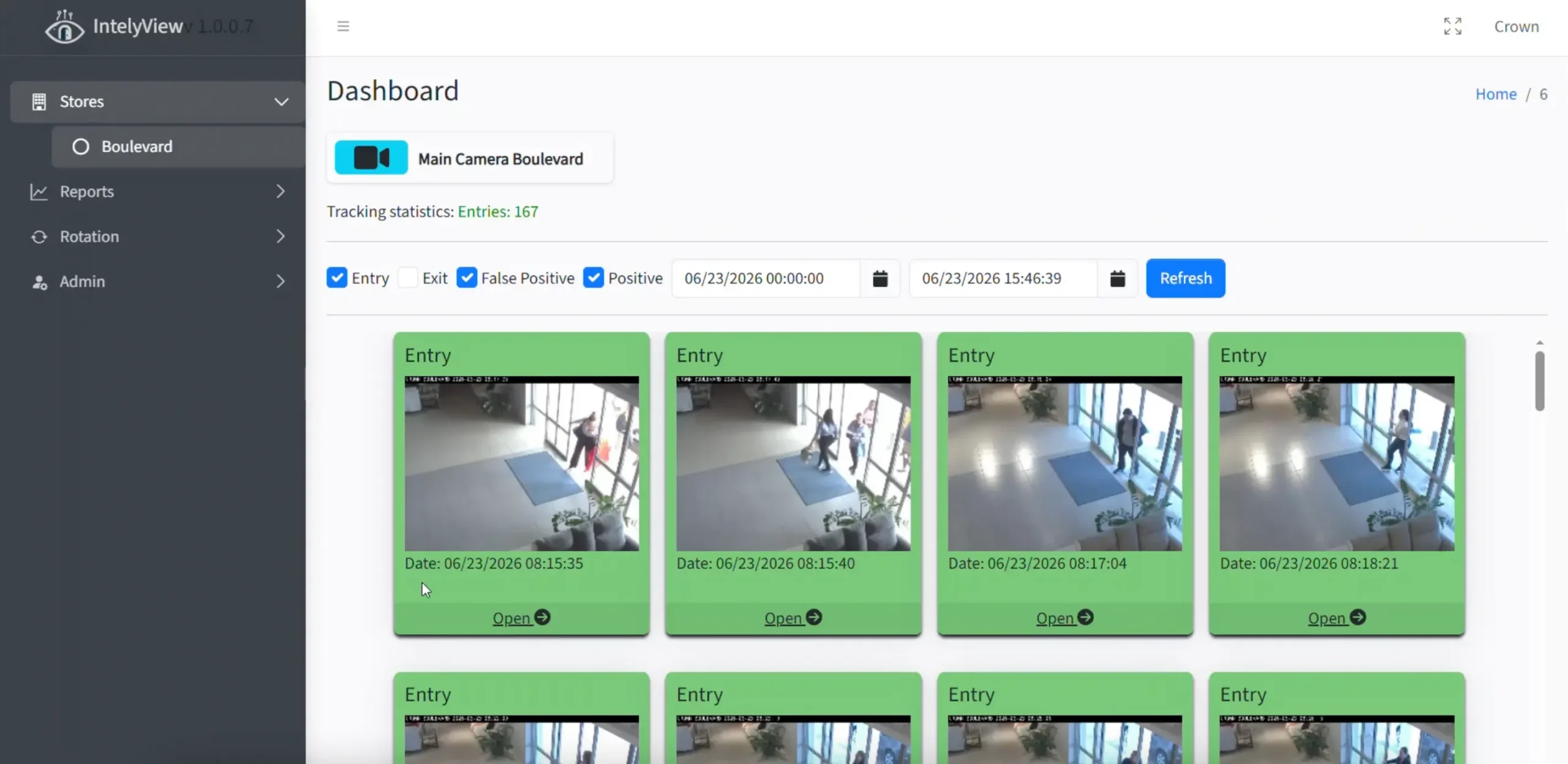
✓ Review traffic images from the main dashboard
✓ View entries and exits by store
✓ Store images on your server or through PerformNOW
✓ Check multiple cameras from one account
Set up every location and team member
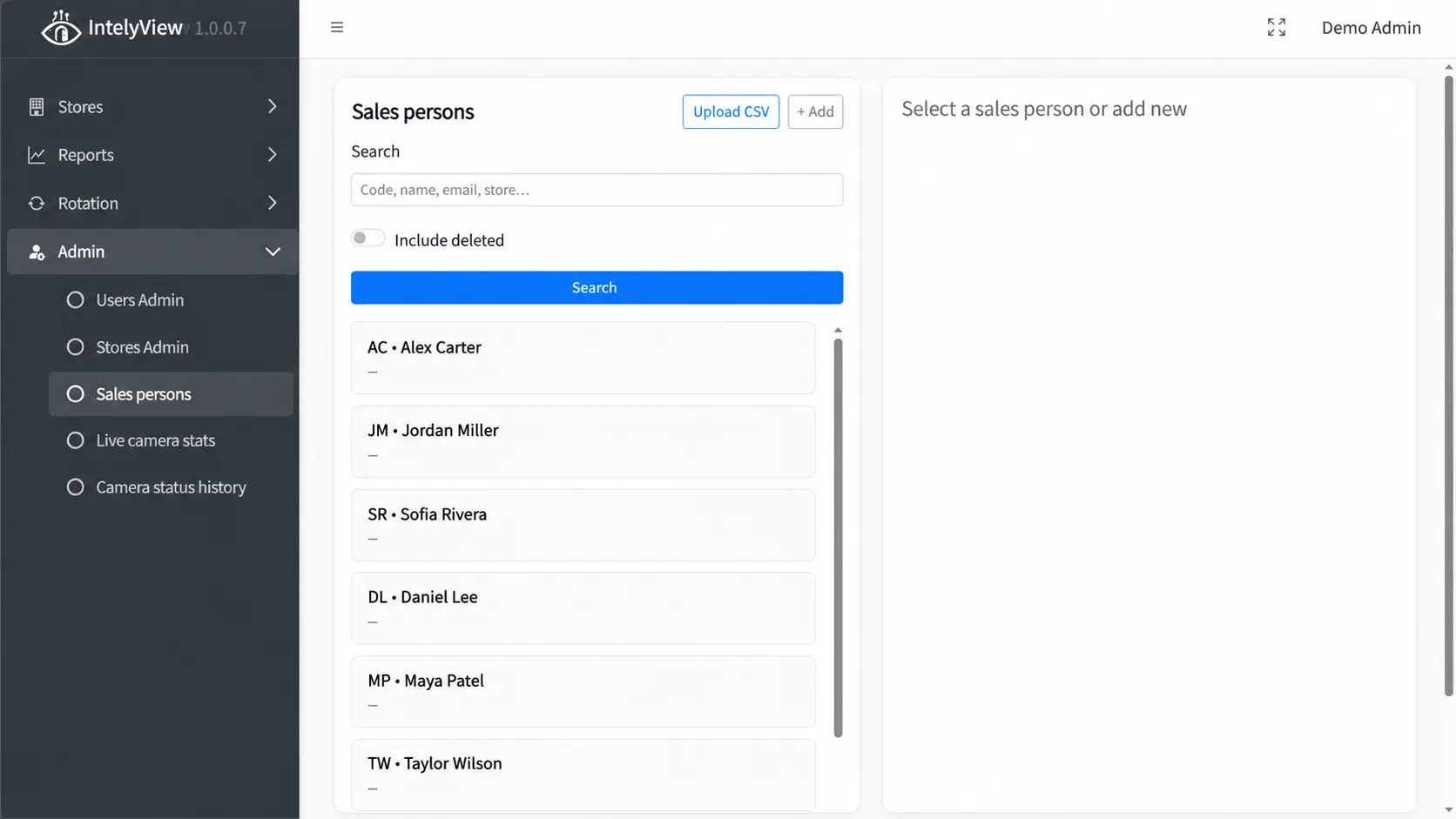
✓ Add stores and store numbers
✓ Create admin and salesperson accounts
✓ Assign salesperson codes, stores, roles, and time zones
✓ Review live camera status and status history
Keep the traffic count clean and useful
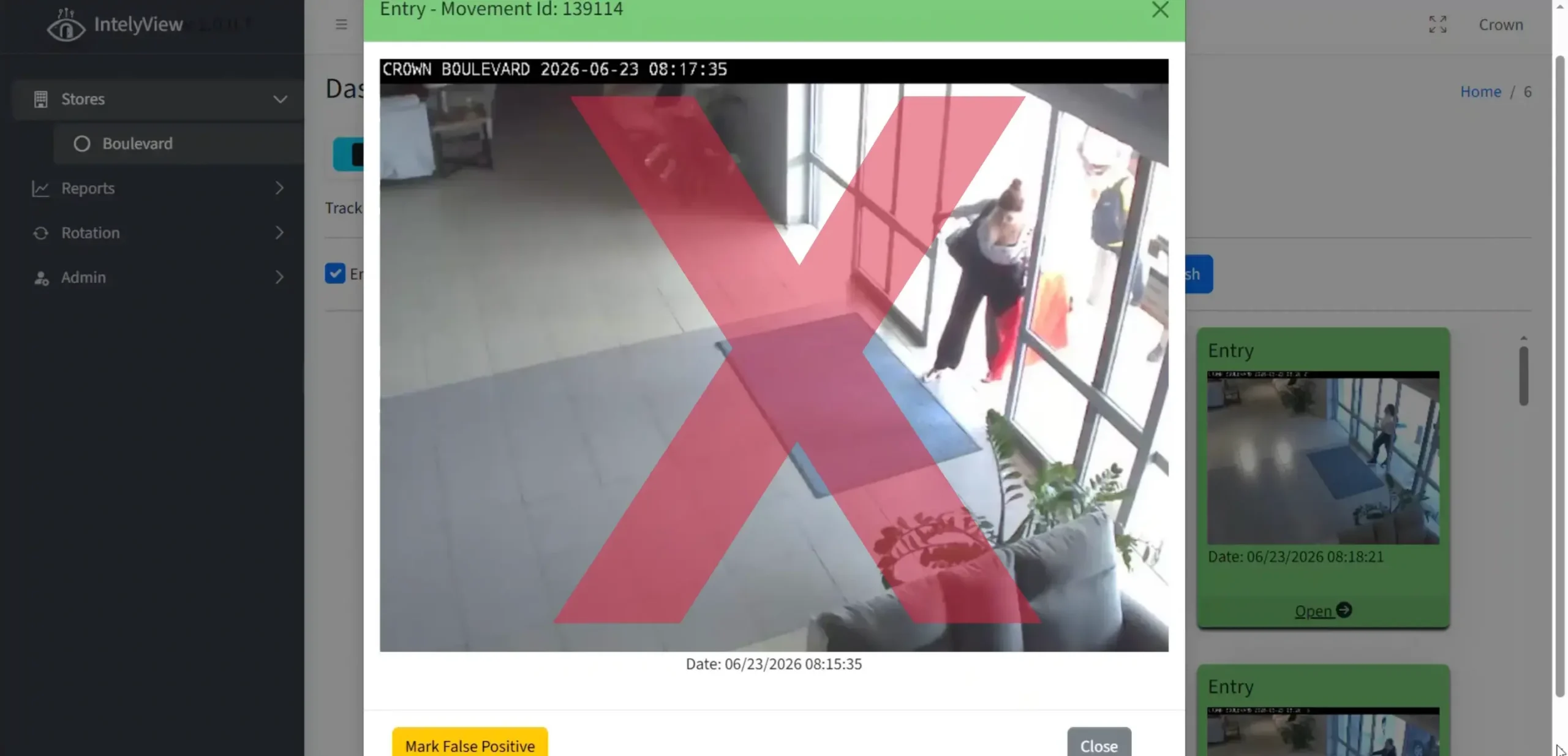
✓ Open any captured entry image
✓ Mark employees and non-customer visits as false positives
✓ Remove those entries from the traffic count
✓ Review traffic by store and date range
Give every customer to the right salesperson
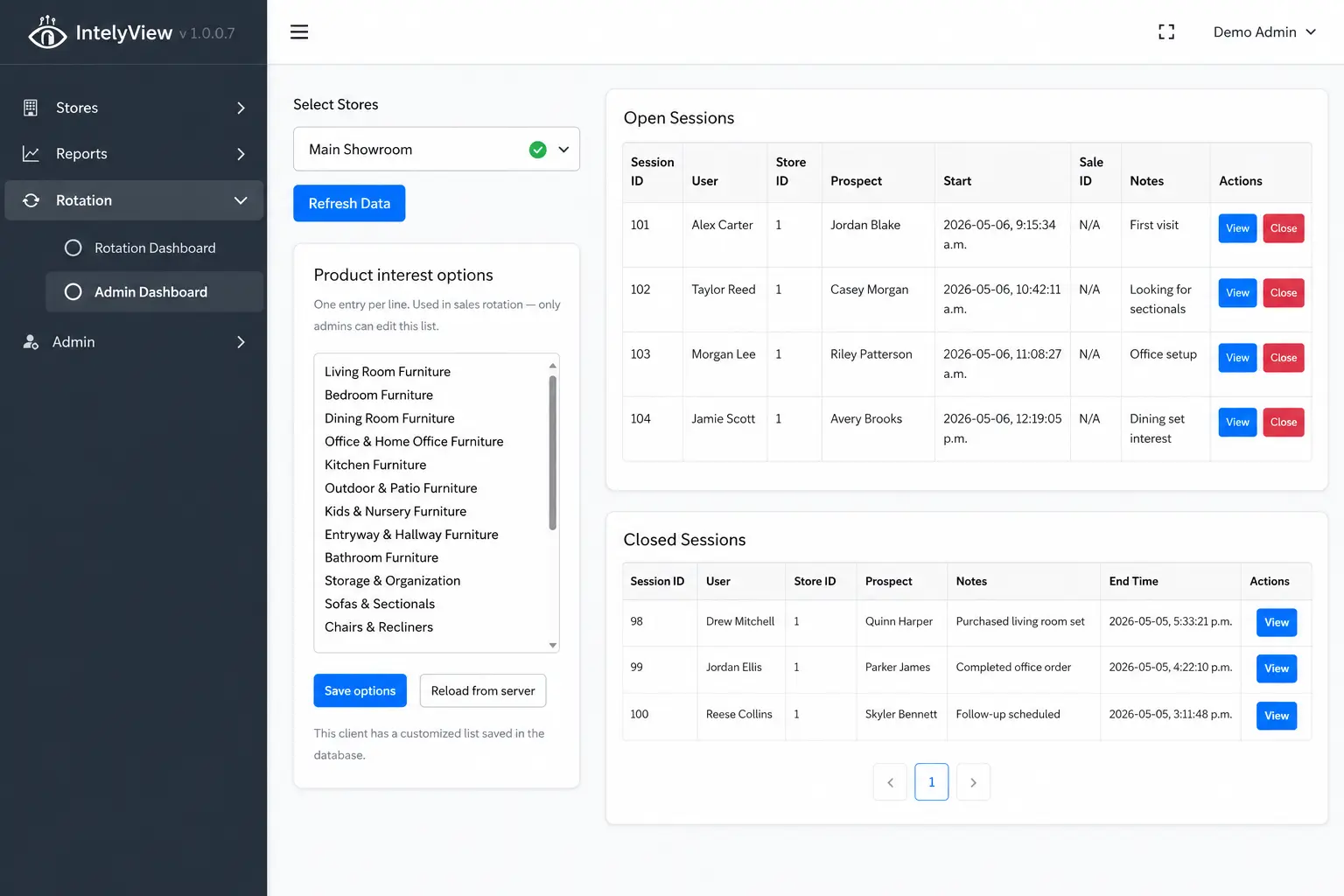
✓ Let salespeople join or leave the rotation
✓ Claim the next customer and manage open sessions
✓ Add a new customer or find an existing customer
✓ Record product interests, results, actions, and notes
Move the conversation into PerformNOW CXM
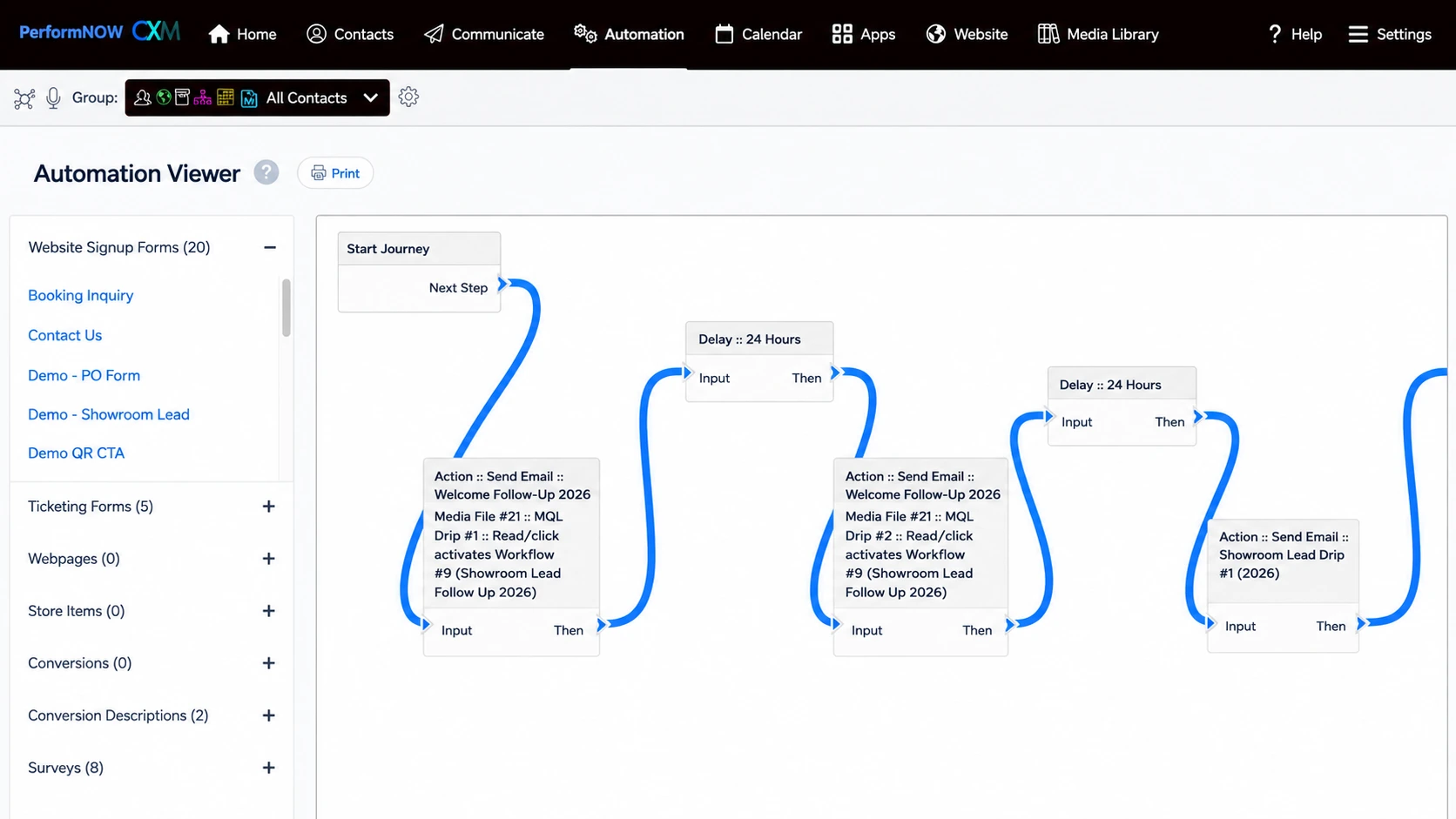
✓ Send visit details into follow-up and opportunity pipelines
✓ Create workflows from captured responses
✓ Send follow-up texts or emails
✓ Schedule appointments and reminders
Understand traffic, sales, and team performance
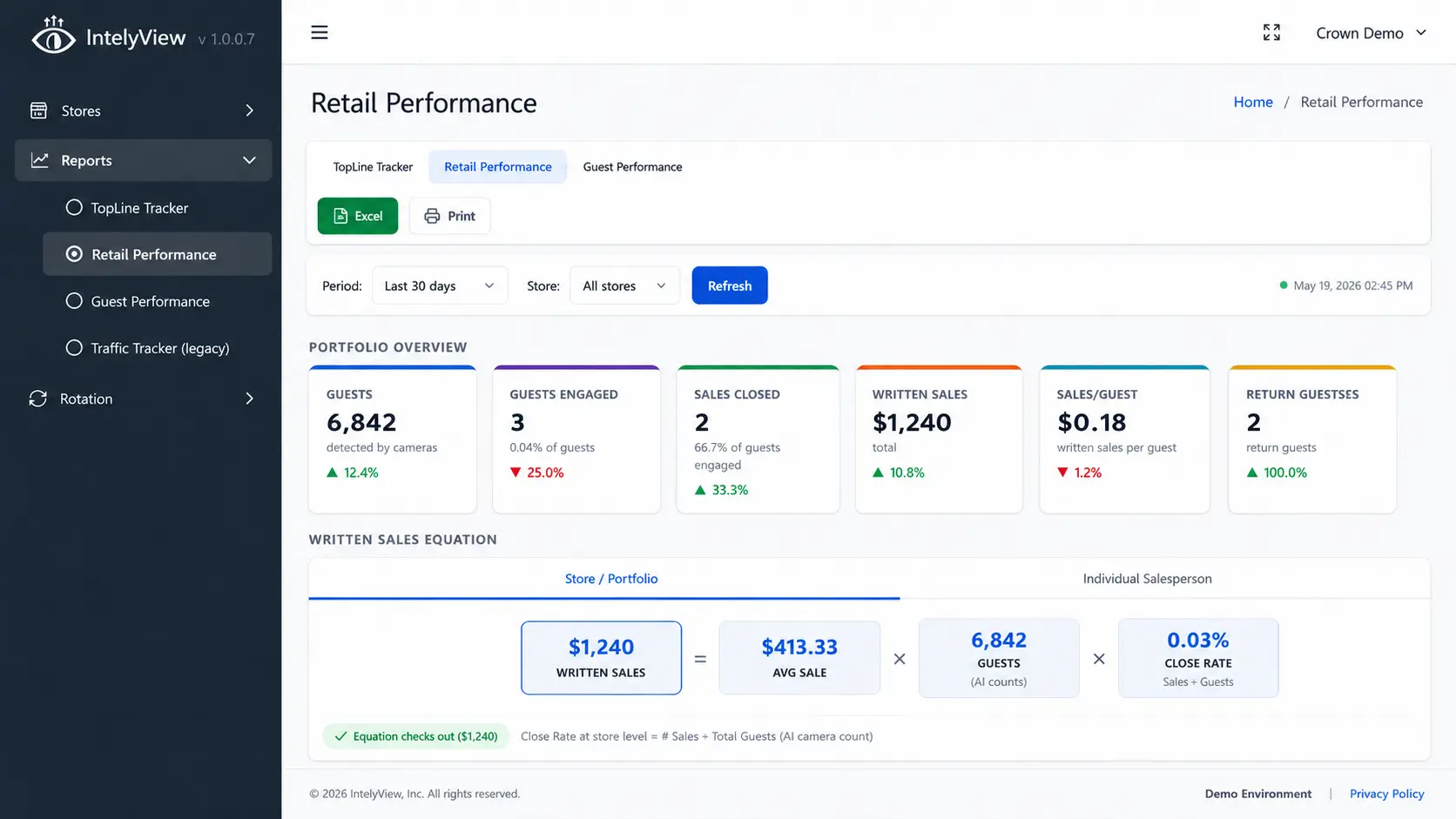 Add image here
Performance reporting screenshot
Add image here
Performance reporting screenshot
✓ Track store traffic by location and date range
✓ Review guests, opportunities, sales, and written sales
✓ Measure close rate, average sale, and productivity
✓ Export reports to Excel or print them
Turn store visits into sales with IntelyView
See IntelyView traffic tracking, sales rotation, CXM follow-up, and performance reporting in one connected workflow.